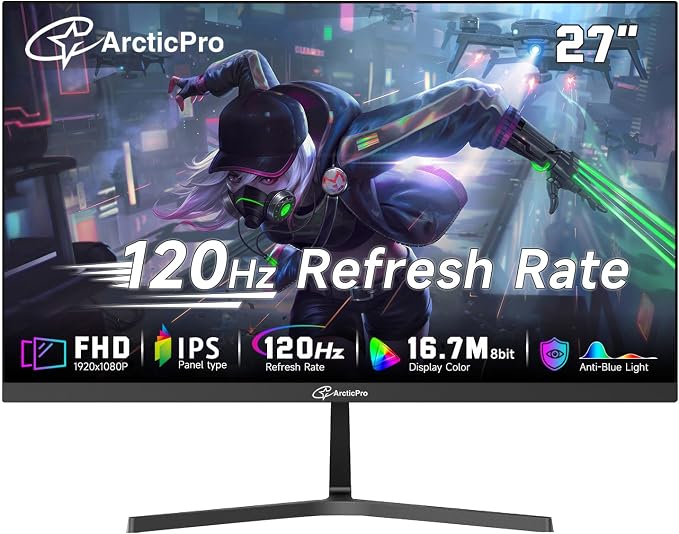
- [Full HD Resolution] Enjoy the crystal-clear image quality of ArcticPro monitor with a sharp 1920x1080p Full HD resolution, providing more vivid colors and sharper details for an immersive viewing experience
- [Smooth Performance] With a 120Hz refresh rate, fast response time and Low Blue Light, ArcticPro monitor delivers smooth and better gaming experience
- [178° Wide Perspective and Tilt Angles] With 178° horizontal & vertical viewing angles and -5°±2°/15°±2* Tilt angles, the VA panel ensures consistent image quality from any perspective, offering all-round viewing performance for both work and entertainment
- [ Anti-blue light design] With Anti-Blue technology, ArcticPro monitor delivers smooth, tear-free and eye care visuals, minimizing motion blur and ghosting for an immersive gaming experience
- [VESA Wall Mountable] With 75*75mm VESA wall mount pattern, you can select the best viewing position, and ArcticPro monitors also support multiple signal inputs such as HDMI, VGA. This monitor does not have a camera function
Product description
What if there is a problem with the product after it arrives?
Can I manually adjust the refresh rate mode of this monitor? If so, How can I adjust?
ArcticPro monitor
What if there is a problem with the product after it arrives?
We aim to provide better seller services and high-quality products. If there are any problems with the product, we will be responsible for the product.
Can I manually adjust the refresh rate mode of this monitor? If so, How can I adjust?
Yes, you can manually adjust the refresh rate of the monitor. Steps Below: Computer side--Display Settings--Advanced Display Settings--Display Adapter Properties of the monitor--List all modes--Select the refresh rate mode you need--Confirm