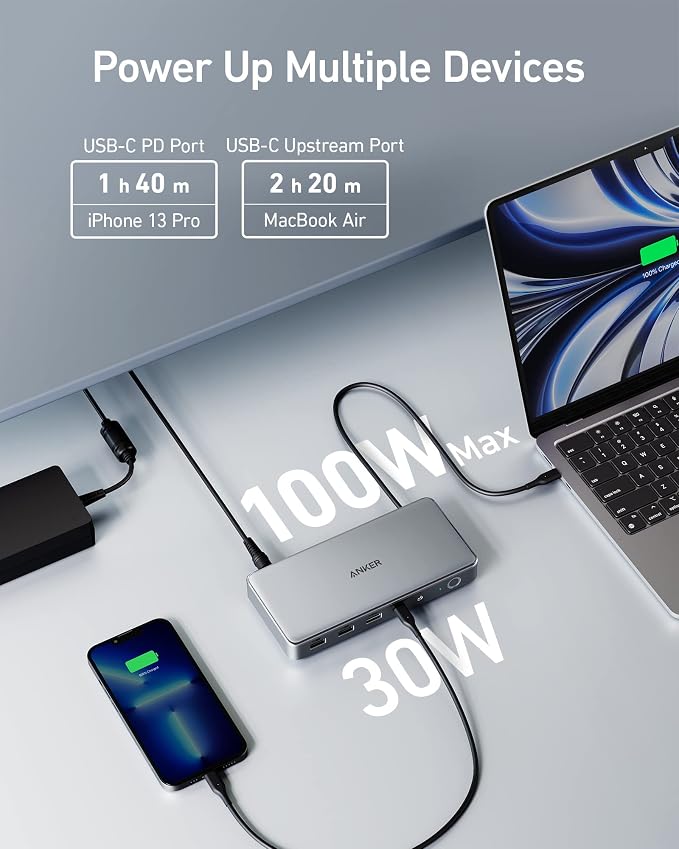
- 14 Powerful Connections: Designed for modern setups, featuring a 140W 10Gbps USB-C upstream port, two 100W 10Gbps USB-C ports, one 100W 5Gbps USB-C port, two HDMI ports, one DisplayPort, two 5Gbps USB-A ports, one 480Mbps USB-A port, a 2.5Gbps Ethernet port, a headphone and mic combo jack, plus SD and TF card slots for complete desktop connectivity. It is recommended to plug the mouse/keyboard receiver into the 480Mbps USB A port. (Note: always use the included USB-C 3.2Gen 2 cable; other cables may cause issues.)
- 4K Triple Display Versatility: Power up three external monitors at once, in 4K, for ultra-efficient multitasking. Compatible with Windows 10/11. (Note: The latest DisplayLink driver installation is required.)
- Each Port Powers and Performs: Every USB-C port supports both charging and data transfer. Power your laptop with up to 140W via the upstream port, while each front USB-C port delivers 100W of high-speed charging.(The front USB-C ports do not support media display to connect USB C monitors such as portable monitors or Thunderbolt monitors. )
- Always Cool, Always in Control: View real-time updates on charging power, display performance, fan cooling mode, and settings directly from the smart display. The built-in fan and ActiveShield 3.0 help keep your device running cool and stable.
- What You Get: Anker Prime Docking Station (14-in-1, Triple Display, DisplayLink), USB-C to USB-C 3.2 Gen 2 cable for upstream port (3.3 ft, 10 Gbps), 6ft AC power cord, safety sheet with user manual QR code , 24-month warranty, and our friendly customer service.
- Need Warranty Support? Go to Your Orders on Amazon, find this product, and click "Ask a Question." Our support team will assist within 24 working hours.
- Note: Due to DisplayLink driver limitations, DRM-protected streaming (Netflix, Prime Video, Disney+, etc.) may show a black screen while audio still plays. Fix for browser streaming: disable hardware acceleration in browser settings.
Product description
Anker Prime Docking Station
A83B3 Dispaly Link_How to Video
This is a modal window.
This is a modal window.