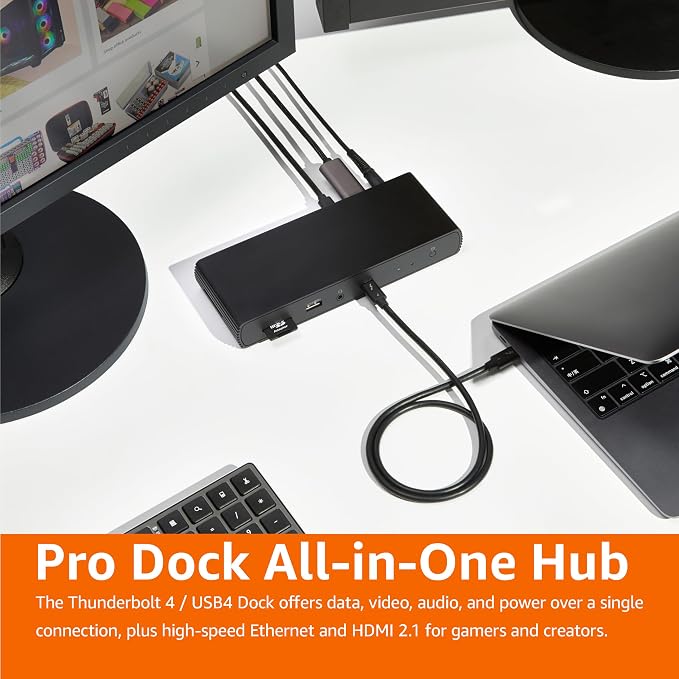
- Compact docking station for additional device connectivity and charging needs. Note: Please use the provided black Thunderbolt 4 cable to connect between the Thunderbolt 4 port on the front of docking station and your laptop.
- Supports Thunderbolt and USB4 function including 3x downstream TBT4 (dual display).
- Supports dynamic PD profile up to 85W to charge devices. Note: Check the laptop manufacturer's power supply specifications before use. Ports may not function properly if laptop power requirements exceed 85W, as the docking station will activate overload protection feature and cause disconnection.
- Video Output Ports support up to dual 4K60Hz displays. Note: Verify your laptop's Thunderbolt ports support dual 4K@60Hz output. Ensure your graphics card installed the latest drivers. Confirm your monitors support 4K@60Hz display. Use high-quality Thunderbolt 4 or USB4 cables for connection (not included).
- Compact, travel-friendly design slips easily into a laptop bag or carry-on.
- Compatible with Laptops running Windows 10 OS or later which have a Thunderbolt 4 port, and non-M1/M2 chip MacBooks running macOS 11 (Big Sur) or later. Backwards compatible for Thunderbolt 3 laptops work with limited functionality (e.g. not support dual display). Not compatible with Linux or Chrome OS laptops, and M1/M2 chip MacBooks running macOS 10.16 or earlier.
- What's Included: Thunderbolt 4 dock, Thunderbolt 4 cable, power adapter, and Quick Setup Guide
From the manufacturer
Why does my external display flicker or disconnect?
Why does my Apple Studio Display go black randomly?
How do I get the best resolution output?
Why doesn’t the Ethernet port reach 2.5GbE speed?
Why does my dock disconnect every 10?15 minutes?
Why does my external display flicker or disconnect?
Use certified cables (Thunderbolt 4, HDMI 2.0/2.1). On macOS, connect Thunderbolt displays before HDMI to avoid EDID conflicts. For multi-display, use M1/M2/M3 Pro/Max or Intel/Ultra models.
Why does my Apple Studio Display go black randomly?
This dock is verified with Apple Studio Display via Thunderbolt 4. Make sure your macOS, dock firmware, and display firmware are all updated to the latest version for best stability.
How do I get the best resolution output?
Supports dual 4K@60Hz or single 8K@30Hz (Thunderbolt only). Use Thunderbolt 4-certified cable and ensure your laptop supports Thunderbolt 4 for full resolution performance.
Why doesn’t the Ethernet port reach 2.5GbE speed?
Ensure your laptop, router/switch, and Ethernet cable support 2.5GbE. Some Intel laptops have controller limits; update drivers if speed is lower than expected.
Why does my dock disconnect every 10?15 minutes?
Update GPU/Thunderbolt drivers and OS firmware. Use original power adapter and quality cables. On Windows, try disabling USB selective suspend for stable performance.