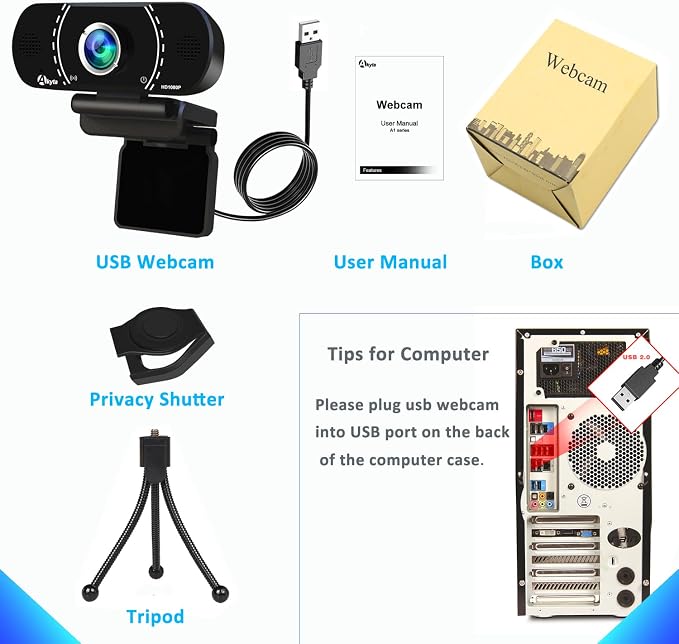
- Webcam for PC/Computer/Laptop:Experience stunning 1080p/30fps HD video for calls and streaming. This webcam for PC delivers a sharper image than most laptop cameras. A built-in privacy cover blocks the lens when not in use, securing your peace of mind.
- Automatic light correction:Akyta Webcam, Look your best in any lighting. This computer camera for desktop automatically adjusts color and exposure to correct dim environments. No expert setup is needed to ensure you are always clearly visible.
- Webcam with Noise-Canceling Mic:PC Webcam,Communicate clearly with the built-in noise-reduction mic. This webcam with microphone isolates your voice and suppresses background noise. It's perfect for productive conferences, online teaching, and disruption-free streaming.
- Plug & Play USB C Camera:Ready to use in seconds. Simply connect this USB webcam to your PC or Mac via USB?no drivers required. It works seamlessly with Zoom, Skype, OBS, and other major apps for instant compatibility.
- 110° Wide Angle & Universal Compatibility:Get a perfect group view with the 110° wide-angle lens. This webcam includes a tripod and a new adapter for easy setup on laptops. It offers plug-and-play compatibility with Windows, macOS, and more.
Product description
Is this webcam truly plug-and-play for both USB-C and USB-A computers?
Does the 110 wide-angle lens work well for showing more than one person?
Q:Does it work well in low light conditions?
How to Set up Akyta Webcam?
Connect to Mac Computer:
Technical Parameter
Is this webcam truly plug-and-play for both USB-C and USB-A computers?
Yes, the included USB-A to USB-C adapter ensures compatibity withalmost any modern or legacy computer, and no extra drivers are needed to start using it
Does the 110 wide-angle lens work well for showing more than one person?
Absolutely.The 110 wide-angle field of view (FOV) allows you to fit more into the frame, making it great for small group calls
Q:Does it work well in low light conditions?
A:Akyta PC Webcam utilizes automatic light correction technology that dynamically adjusts brightness and color accuracy to match lighting conditions.
How to Set up Akyta Webcam?
Connect to Windows desktop computer / laptop / PC:
Please Check under Control Panel-->System and Security-->Device Manager
USB camera or USB webcam will be listed as a connected device
Connect to Mac Computer:
Please Click Apple Menu, then click About this Mac, Click on System Report from the pop-up window that appears.
The System Information window for your Mac will appear. Navigate to the USB section, USB webcam will be listed as a connected device.