CoreDrive
40B00135US Lenovo Docking Station Thunderbolt 4 Dock - Thinkpad Docking Station USB C with 135W HDMI DisplayPort & USB-C to C Cables (Renewed)
40B00135US Lenovo Docking Station Thunderbolt 4 Dock - Thinkpad Docking Station USB C with 135W HDMI DisplayPort & USB-C to C Cables (Renewed)
Couldn't load pickup availability
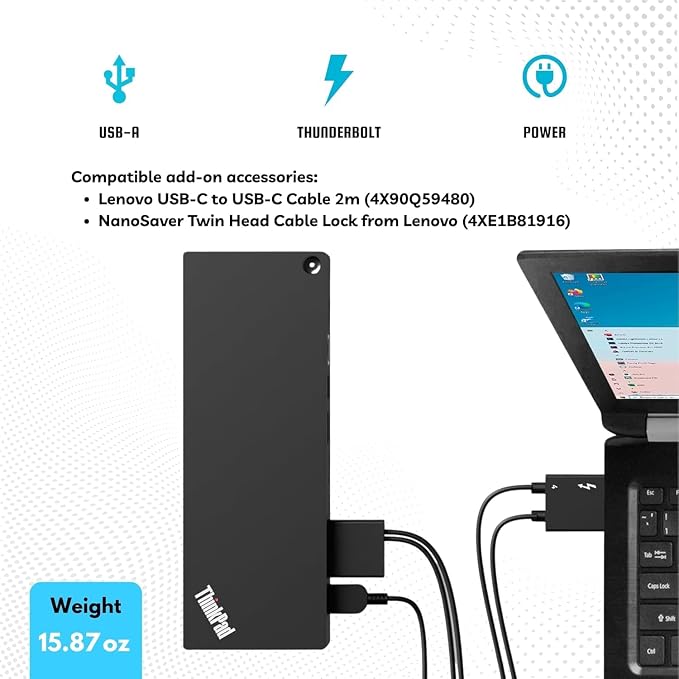
- [Dynamic Connectivity] - 40B00135US Docking Station offers diverse ports, including USB-C, HDMI, and DisplayPort, enhancing connectivity for multiple devices. - [Energy Supply] - With a robust 135, this docking station ensures swift and efficient, keeping your laptop and peripherals throughout your workday. - [Dual Display Capability] - Elevate your workspace with dual monitor support, providing a flexible and immersive visual experience for improved productivity and multitasking. - Universal Compatibility: Designed for seamless integration with a variety of laptops, the 40B00135US docking station ensures broad compatibility and ease of use across different models.
Product description
Technical Specifications
Find Your Perfect Dock
Can I use this Lenovo Thunderbolt 4 Dock with non-Lenovo laptops?
Does this docking station charge my laptop while connected?
What is the maximum resolution this dock can support?
What should I do if the external monitors are not detected after connecting?
Do I need to install any special drivers to use the audio or Ethernet ports?
Can I use this Lenovo Thunderbolt 4 Dock with non-Lenovo laptops?
Yes, this dock is universally compatible. It works seamlessly with any laptop that supports industry-standard USB-C Alt-Mode or Thunderbolt protocols, regardless of the brand.
Does this docking station charge my laptop while connected?
Yes, it supports dynamic Power Delivery and can deliver up to 100W of power to charge your laptop directly through the host connection cable.
What is the maximum resolution this dock can support?
It supports up to a single 8K resolution display at 30Hz via the HDMI 2.1 port, or you can connect up to four external monitors simultaneously at 4K resolution at 60Hz.
What should I do if the external monitors are not detected after connecting?
Ensure the Thunderbolt 4 host cable is securely plugged into the correct port on your laptop. If the issue persists, disconnect the power cable from the dock, wait 10 seconds, plug it back in, and restart your system.
Do I need to install any special drivers to use the audio or Ethernet ports?
For most modern Windows laptops, this dock is plug-and-play. However, to ensure advanced enterprise features like MAC address pass-through or Wake-on-LAN function correctly, it is highly recommended to install the latest Lenovo dock firmware.
Share