CoreDrive
16 144Hz FHD Portable Monitor100% sRGB 1200P HDR Portable Gaming Monitor | Portable Monitor with USB-C HDMI VESA and Magic CoverExternal Screen for LaptopMacPCPhonePS5Xboxetc.
16 144Hz FHD Portable Monitor100% sRGB 1200P HDR Portable Gaming Monitor | Portable Monitor with USB-C HDMI VESA and Magic CoverExternal Screen for LaptopMacPCPhonePS5Xboxetc.
Couldn't load pickup availability
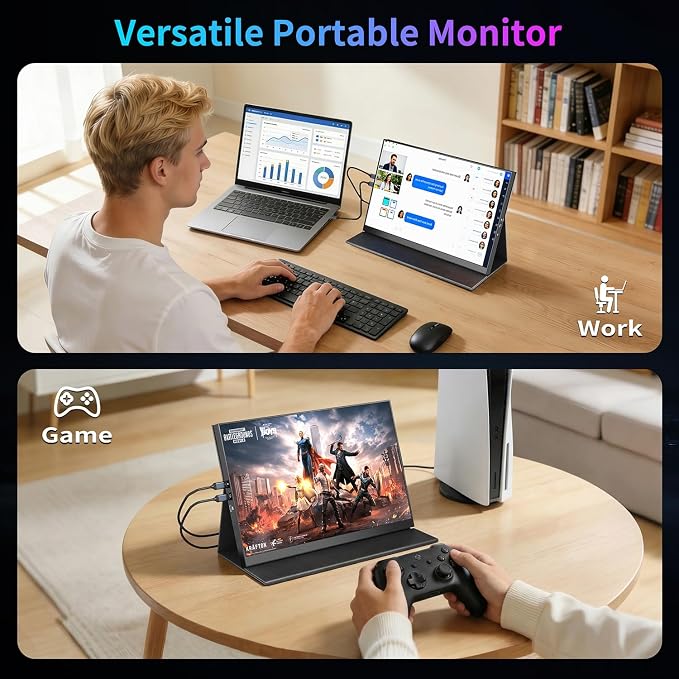
- 16" 144Hz monitor: The 16" portable monitor has 144Hz ultra-high refresh rate for higher motion clarity and smoother gaming visuals. The 144Hz high refresh rate brings lower input latency and higher videos, work and game screen quality,Adaptive Free-Sync and Adaptive Sync . - FHD IPS Screen: The 16" portable monitor features 1920*1200P FHD high-definition resolution and 100% sRGB 16:10 aspect ratio gamut brings clear picture quality, immerse yourself in vibrant colors and crisp details - Multiple Display Modes:Extender Screen Mode/Copy Screen Mode/Second Screen Mode/Portrait Screen Mode, Duplicate your screen and share it with others, extend your screen and multitask simultaneously, improve work efficiency and improve the quality of life. - Plug and Play: No need to download any drivers, you only need one USB-C or HDMI cable to connect. The portable monitor best for laptop,PC,Phone,mac,XBOX, PS3 /PS4 /PS5, Switches, etc. - Portable and VESA: The monitor features Magic Cover and VESA Mountable, Weighs only 1.4 pounds,Just 0.4 inches thick, Easily fits in your bag,and Built-in two high-quality speakers.
Product description
How to change the modes when I want to extend laptop screen?
It is a 60Hz on my laptop, How do I adjust the refresh rate of my external portable monitor?
Single USB-C cable connnection feels not bright enough, what to do?
Are all Type-C ports usable?
My PS5 is 120Hz, is it compatible?
How to change the modes when I want to extend laptop screen?
On Windows, right-click on your desktop and select "Display settings". On macOS, go to System Settings > Displays.
It is a 60Hz on my laptop, How do I adjust the refresh rate of my external portable monitor?
Typically, once connected, it will automatically match the same refresh rate.
Most laptops are configured as follows: System > Display > Advanced display settings > Display 1 / Display 2 > Choose a refresh rate
Single USB-C cable connnection feels not bright enough, what to do?
While the monitor's default brightness is sufficient for most tasks, if you need extra brightness, please provide power.You can adjust the screen brightness in the MENU.
Are all Type-C ports usable?
For laptops that have full-featured type-c port (It's USB3.1 Gen2 or above).If the device does not have full-featured type-c port, please switch to the HDMI cable.(Use HDMI port must power for the monitor,Please use our original charger.)
My PS5 is 120Hz, is it compatible?
Yes, This monitor can smoothly run your PS5, Xbox, Switch and other gaming device.
Share