CoreDrive
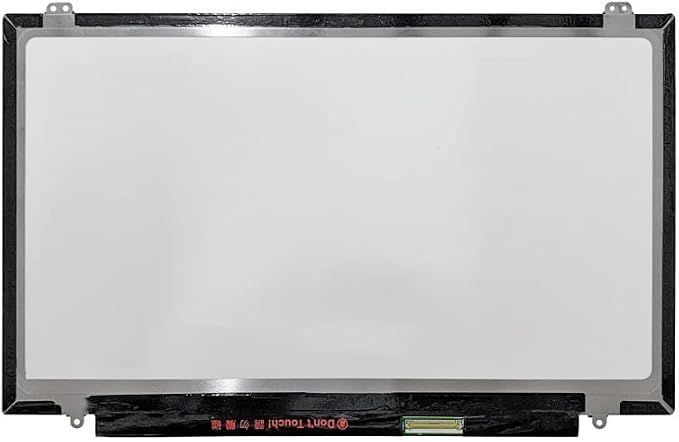
14.0 LCD Screen Replacement B140QAN01.1 LP140QH1(SP)(D3) for HP Elitebook 840 G3 840 G4 823952-001 806862-005 849782-001 Non-Touch Display Panel QHD 2560 * 1440 40 Pins
14.0 LCD Screen Replacement B140QAN01.1 LP140QH1(SP)(D3) for HP Elitebook 840 G3 840 G4 823952-001 806862-005 849782-001 Non-Touch Display Panel QHD 2560 * 1440 40 Pins
Couldn't load pickup availability
- [Important] Screen Size: 14.0 inch ; Max Resolution: QHD 2560*1440 ; Data Cable Pins: 40 pin - [Important] Please check that the original screen resolution ,Data Cable Pins, Touch or non-touch functions and screen inches are same as described on the link. - [Important] After purchasing, We suggest you remove the screen from the computer ,there is a small sticker on the back of the screen, the sticker says the screen model,then take a picture and send it to us. - [Important] Please install it Very Professionally , if Not , Please Do Not Try . (You need to Pull Off the Power Adapter & Battery Cable when install) .Package includes LCD Screen Only (NOT a laptop). - [Important] All products we provide are compatible based on our test. we will send you Depending on our stock.
Product description
Before buying,Check Max Resolution
Before Buying,Check Touch Functions
Before buying,Check you need a screen only or assembly
Before buying,Check Refresh Rate
How can you accurately confirm the model number?
Anti-counterfeiting Gold Label
When there is a problem with an Product, we can give you help
Before buying:
you must check the following important parameters:Max Resolution
HD, HD+ FHD, UHD are completely incompatible and cannot be used universally. You must confirm this by checking your computer settings - Best Resolution.
Before buying,you must check Touch Functions
Computer models often come in both touch and non-touch versions, which are completely incompatible and not universal. Generally speaking, the touch version corresponds to 40pins and the non-touch version corresponds to 30pins , if you buy the wrong one, it will not work!
Please confirm the product you need:
Before buying: you must check the Refresh Rate
Common refresh rates are:
You can find the model number on the outer box of the computer you purchased.
At the bottom of the computer, you can find the specific model number.
You can remove the screen from the computer and take the picture to us. there is a small sticker on the back of the screen, the sticker says the screen model.
Every product you receive contains an anti-counterfeiting mark.
Please confirm POBRIDA when you pay.
Solutions:
Take a picture and send it to us, we will request an exchange for you.
Solutions:
We recommend that you remove the screen from the computer and take the picture to us. there is a small sticker on the back of the screen, the sticker says the screen model. Our seller will resend you a replacement screen with the correct one
Solutions:
Take a picture and send it to us, we will request an exchange for you.
Share