CoreDrive
1080P Webcam with Noise-Cancelling Microphone and Tripod - Computer Camera with Privacy Shutter - 110° Wide Angle - USB Plug & Play for PC Laptop - Zoom Teams Streaming
1080P Webcam with Noise-Cancelling Microphone and Tripod - Computer Camera with Privacy Shutter - 110° Wide Angle - USB Plug & Play for PC Laptop - Zoom Teams Streaming
Couldn't load pickup availability
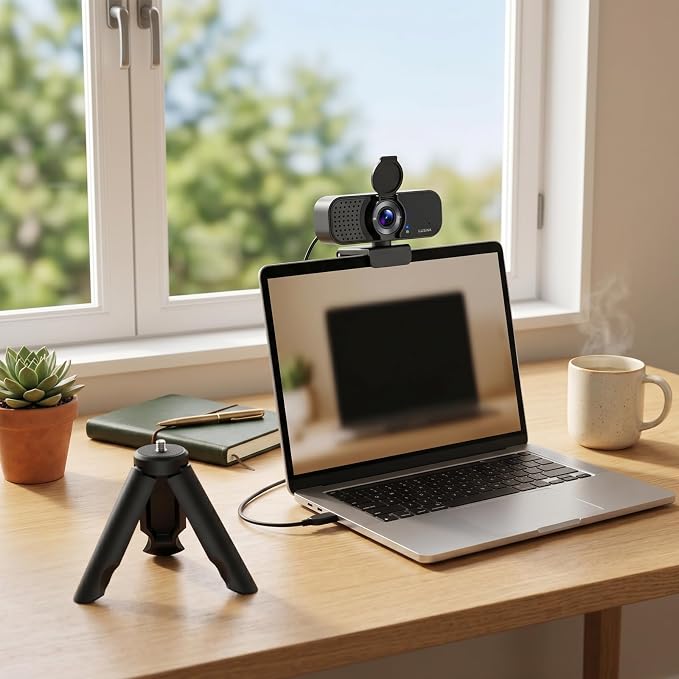
- Tripod-ready & stable mounting: Come with an adjustable tripod stand for desk, table, or any flat surface. No need to buy a separate mount ? stable positioning keeps you in frame during long Zoom calls or streaming sessions. - Works with all major platforms: Fully compatible with Zoom, Microsoft Teams, Skype, Google Meet, and more. Plug the USB-A cable into any Windows, Mac, ChromeOS, or Linux computer ? recognized instantly, no driver hassle. - Privacy shutter for peace of mind: Built-in physical lens cover lets you block the camera instantly when not in use. No tape, no sticky notes ? just flip to close and you're protected. One of the most requested features by webcam buyers. - Noise-cancelling microphone for clear audio: Single microphone with advanced noise reduction filters out background sounds like keyboard typing, fan noise, and room echo. Your voice comes through crisp and natural ? no muffled sound, no static. - Plug & play setup, sharp 1080p video: No downloads, no driver installation, no software to learn. Delivers crisp 1080p at 30fps with a 110° wide-angle lens that fits more people in frame. Tripod, privacy shutter, and noise-cancelling mic ? all included at a budget-friendly price.
Product description
Is this webcam compatible with Mac, Windows, and Chromebook?
Does this webcam come with a tripod? Can I use it without clipping to a monitor?
Does it have a built-in privacy cover for the camera lens?
How is the microphone quality? Does it pick up background noise?
What do I get that cheaper webcams don't include?
Is this webcam compatible with Mac, Windows, and Chromebook?
Yes. Lusinx WC1080 works plug-and-play with Windows 10/11/7, macOS 10.10 and above, Chrome OS, and Linux. No driver installation required ? Works seamlessly with Zoom, Microsoft Teams, Google Meet, Skype, and all major video conferencing apps
Does this webcam come with a tripod? Can I use it without clipping to a monitor?
Yes ? an adjustable tripod stand is included in the box. Unlike most webcams in this price range that only offer a clip mount, Lusinx gives you both: a universal clip for your monitor and a standalone tripod for desk placement.
Does it have a built-in privacy cover for the camera lens?
Yes ? a physical flip-up privacy shutter is built directly into the webcam. Simply flip it down to block the lens when not in use, and flip it back up when you're ready for a call. No sticky tape, no adhesive residue, no separate lens cap to lose.
How is the microphone quality? Does it pick up background noise?
Lusinx uses a single noise-cancelling microphone that actively filters out common background distractions ? keyboard typing, desk fan noise,. Your voice comes through crisp and natural, For the clearest audio, position the webcam within 3 feet.
What do I get that cheaper webcams don't include?
A tripod stand and a noise-cancelling mic. Most budget webcams only give you a clip mount and use standard mics that pick up all background noise. Lusinx gives you both, plus true-to-life color and 110-degree wide angle
Share